
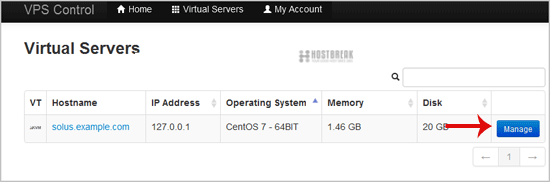
1. Login to your SolusVM Control Panel.
2. If you have multiple VPS, select the appropriate one.
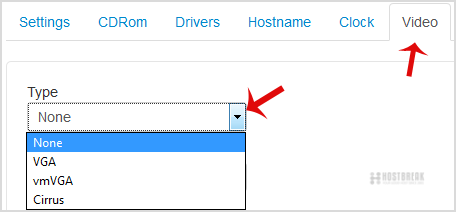
How to Change the Video Type?
1. Scroll down, and under the"Video"� tab, change the type from the drop-down menu to the appropriate video type and then reboot your VPS.
How to Enable the 2D/3D Acceleration?
1. Scroll down under the "Video"� tab, and if you want to Disable the 3D Acceleration, choose the option "Off"� from the dropdown menu.If you want to enable it, chose the "On"� option from the 2D/3D Acceleration.
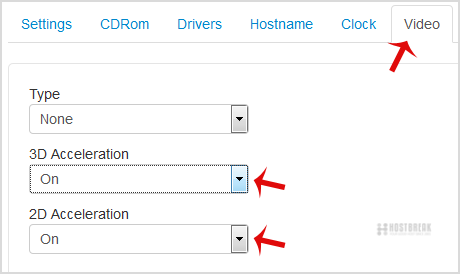
2. Reboot your VPS.
Note: Virtualization like KVM does not support 2D/3D Acceleration on some operating systems.